Official website
OpenMTP Advanced Android File Transfer App for macOS
- #1 Open-source MTP app for Mac
- 1.4M+ Users worldwide
- 180+ Countries
- 7.4K GitHub stars
Thank you for making OpenMTP the most trusted and popular open-source Android file transfer tool for macOS.
Tired of using expensive, outdated, bug heavy, Android File Transfer apps for macOS?
Now, have an easy, smooth sailing experience and transfer multiple files in one go!
Introducing OpenMTP - Safe, Transparent, Open-Source and FREE for a lifetime!
Latest Version: Fetching....
System requirements: macOS 10.14 (Mojave) or higher. macOS 10.13 and earlier have limited support and require OpenMTP v3.1.15 with Legacy MTP mode.
Or install with Homebrew:
brew install openmtp --cask
On macOS 10.13 or earlier? Use v3.1.15 and see the installation steps.
Features
Everything you need to move files between Mac and Android
Fast, private and free. Plug in your phone and start transferring.
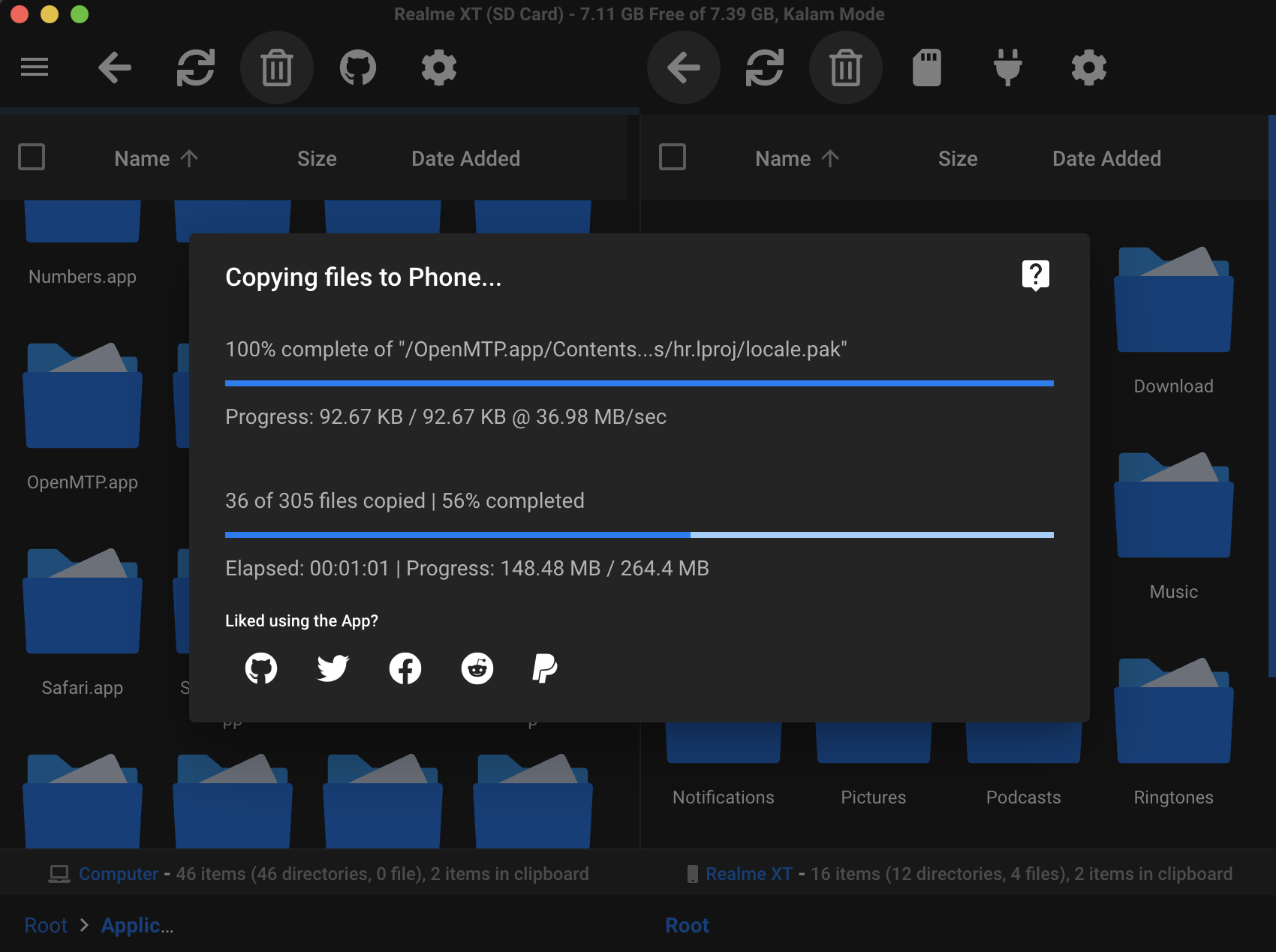
- 5-6x faster file copies over USB
- 4GB+ files, many in one go
- Free and open source, forever
Apple Silicon and Intel
Works on both modern and older Macs, all the way back to macOS 10.12 (Sierra)*. Read more.
Samsung, Garmin, FujiFilm, Meta VR and more
Phones, watches, cameras and Meta VR headsets that connect over MTP. View the supported devices.
Plug and play
Easy, instant connection. No Wi-Fi setup or account.
Rename files and folders
Rename right on your phone, which Android File Transfer can't do.
Internal memory and SD card
Switch between storages from the toolbar.
Split pane with drag and drop
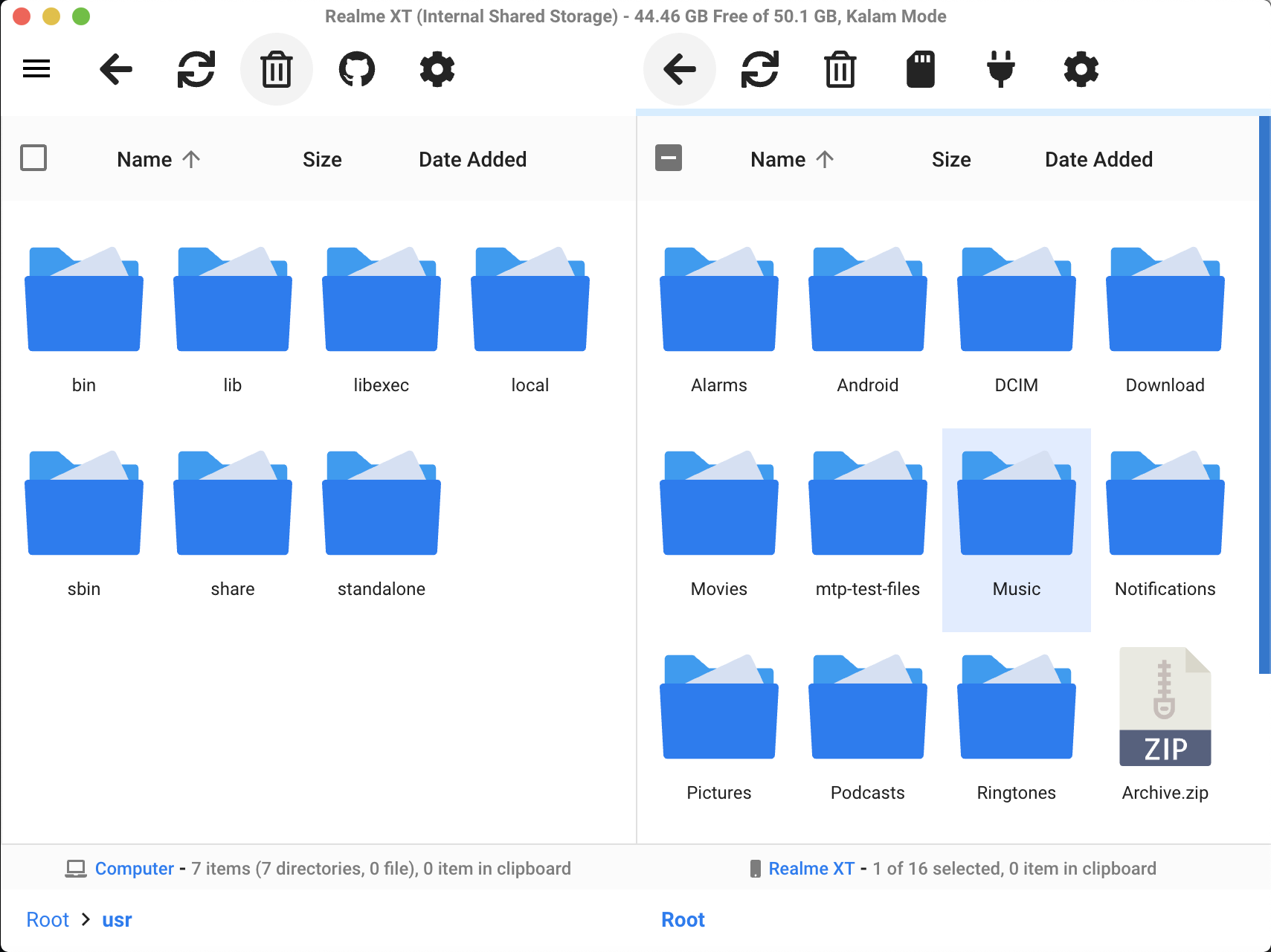
Your Mac and your phone side by side. Drag files across.
Grid, list and dark mode
Pick the view and theme that suit you.
Keyboard shortcuts
Navigate, copy and paste your files without the mouse.
Private by design
No collection of personally identifiable information.
How to transfer files from Android to Mac
Three steps. No Wi-Fi setup, no account, no cloud.
Download OpenMTP
Get the build for your Mac, Apple Silicon or Intel, and drag OpenMTP into your Applications folder. Or install it with Homebrew.
Connect your phone with a USB cable
Unlock your phone, tap the USB notification and choose File transfer. OpenMTP detects it right away.
Drag and drop your files
Your Mac is on the left and your phone is on the right. Drag files across, or copy with ⌘C and paste with ⌘V.
Kalam Kernel
OpenMTP 3.0 introduced Kalam, a new MTP kernel written from scratch and named after Dr. A. P. J. Abdul Kalam.
It copies files at 20 to 30 MB/s on low and mid-range devices and 100 to 120 MB/s on high-end devices, with no 4GB file size limit.
Copying one 4GB video
How long does it take?
Work faster with shortcuts
Copy, paste, rename and navigate your files from the keyboard.
- Copy
- ⌘cmdC
- Paste
- ⌘cmdV
- Copy to queue
- ⌘cmd⇧shiftC
- New folder
- ⌘cmdN
- Rename
- ⌘cmdD
- Delete
- ⌫delete
- Refresh
- ⌘cmdR
- Folder up
- ⌘cmdB
- Select all
- ⌘cmdA
- Switch tab
- ⌘cmd1
- Open
- ↩return
- Navigate left
- ←
- Navigate right
- →
- Navigate up
- ↑
- Navigate down
- ↓
- Select forward (grid view)
- ⇧shift←
- Select backward (grid view)
- ⇧shift→
- Select forward (list view)
- ⇧shift↑
- Select backward (list view)
- ⇧shift↓
- Select multiple (with mouse)
- ⌘cmd/⇧shiftClick
OpenMTP vs Android File Transfer
Google no longer supports its Android File Transfer app for Mac. Here's how the two compare.
| Feature | OpenMTP | Android File Transfer |
|---|---|---|
| Still updated | Yes | Discontinued |
| Apple Silicon and Intel support | Yes | Intel only |
| Files larger than 4GB | Yes | No |
| Stable connection | Yes | Frequent disconnects |
| Rename files on the phone | Yes | No |
| Mac and phone side by side | Yes | No |
| Grid and List view | Yes | List only |
| Dark mode | Yes | No |
| Open source | Yes, MIT | No |
| Price | Free | Free |
Frequently Asked Questions
Quick answers about installing and using OpenMTP.
Still have a question?
Search the existing issues on GitHub, or open a new one with your Mac and phone model.
Ask on GitHubIs OpenMTP safe to use?
Yes. OpenMTP is open source under the MIT license, so anyone can read its code. Releases are signed and notarized by Apple, and the app doesn't collect personally identifiable information. Only download it from:
Which Macs does OpenMTP support?
Requires macOS 10.14 (Mojave) or higher. macOS 10.13 and earlier have limited support and require OpenMTP v3.1.15 with Legacy MTP mode.
I'm on macOS 10.13 or earlier. What should I do?
Use OpenMTP v3.1.15 on older Macs, in Legacy MTP mode. Download v3.1.15, then:
- Drag the app into the Applications folder.
- Turn off the internet.
- Launch v3.1.15 of the app.
- Go to Settings.
- In the Update tab, turn off auto-update.
- Turn the internet back on.
Turning off auto-update keeps the app from replacing itself with a newer version your Mac can't run.
Which macOS versions get Kalam Kernel updates?
The Kalam Kernel brings new device support, fixes and stability improvements. Those updates go to macOS 11 (Big Sur) and later, covering the latest three macOS versions. Kalam has to be compiled on a machine running the oldest macOS it supports, which isn't practical for versions below Big Sur.
On macOS 10.14, OpenMTP still runs, and macOS 10.13 and earlier keep working through Legacy MTP mode in v3.1.15. Releases keep coming for both Intel and Apple Silicon.
My phone isn't connecting, or I see a blank screen. What should I do?
Try these steps in order:
- Quit any app that might be reading USB devices, such as Preview, Google Drive, Dropbox, OneDrive, Android File Transfer, Garmin Express, iMovie or Lightroom.
- If Android File Transfer opens every time you connect your phone, uninstall it.
Still stuck? See the troubleshooting guide.
How do I switch between internal storage and the SD card?
- Connect the device and open it in OpenMTP.
- In the right hand pane, click the Storage button above the device file listing.
- Pick the storage you want in Select Storage Option, such as the internal storage or the SD card.
- Hit refresh if the contents don't appear straight away.
How do I switch between list view and grid view?
- Click the Settings (gear) button above the file listing.
- Go to the File Manager tab.
- Under View as grid, turn it on for grid view or off for list view, separately for Phone and Computer.
List view is the one with checkboxes, so it's the easier way to pick several files, right-click and choose Copy or Copy to Queue.
Apple Silicon or Intel? Which download do I need?
It depends on the chip inside your Mac. Macs sold from late 2020 onwards use Apple Silicon (the M1, M2, M3, M4 and M5 chips). Older ones use Intel processors. OpenMTP ships a separate build for each, so the app runs directly on your chip instead of being translated.
To check which one you have:
- Click the Apple menu in the top left.
- Choose About This Mac.
- Read the Chip or Processor line: a chip starting with Apple M means Apple Silicon, anything saying Intel means the Intel build.
The download buttons on this page already pick the right one for the Mac you're reading this on.
What are the free alternatives to Android File Transfer for macOS?
OpenMTP is the free, actively maintained alternative to Google's Android File Transfer: it's safe, open source, ad-free, signed and notarized by Apple, and comes with no file size limits or other restrictions. Google's Android File Transfer for Mac is effectively abandoned: it hasn't seen any update in years, disconnects constantly, can't copy files over 4GB, and can't rename files or folders on the device.
Is OpenMTP free?
Yes, completely free and open source, with no ads. If you'd like to support its development:
Does OpenMTP work with Samsung phones?
Yes. If the app goes blank when you connect a Samsung phone, uninstall Samsung Smart Switch, which blocks other apps from reaching the phone over MTP.
Can I transfer files larger than 4GB?
Yes. Google's Android File Transfer can't copy files larger than 4GB, but OpenMTP can, and you can transfer many of them in one go.
Can OpenMTP transfer files wirelessly?
No. OpenMTP connects over a USB cable using MTP, which is much faster and more reliable than transferring over Wi-Fi.
Is a new version of OpenMTP coming?
Yes. The next generation of OpenMTP is in active development and coming soon. It's a major upgrade with new features and big improvements to stability and performance. Stay tuned, and thanks for all the support!